
Account Deletion
How to permanently delete your HanyuHub account, cancel active subscriptions, and erase all study data.
Overview
We respect your right to data privacy and complete ownership over your account. If you decide to leave HanyuHub, you can permanently delete your account and all associated learning data directly from your settings at any time.
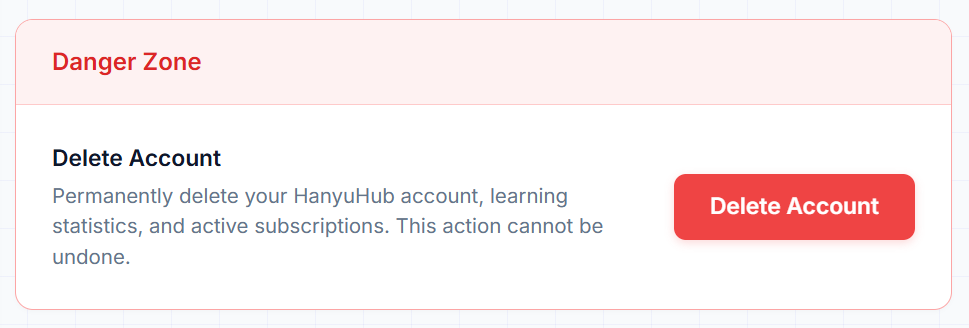
Step-by-Step Deletion Process
1. Open Account Settings
Click your avatar in the top-right corner of the app and select Account Settings.
2. Locate the Danger Zone
Scroll to the bottom of the page to find the Danger Zone section and click the red Delete Account button.
3. Type Verification Phrase
In the confirmation dialog, type delete my account into the text box to verify your decision.
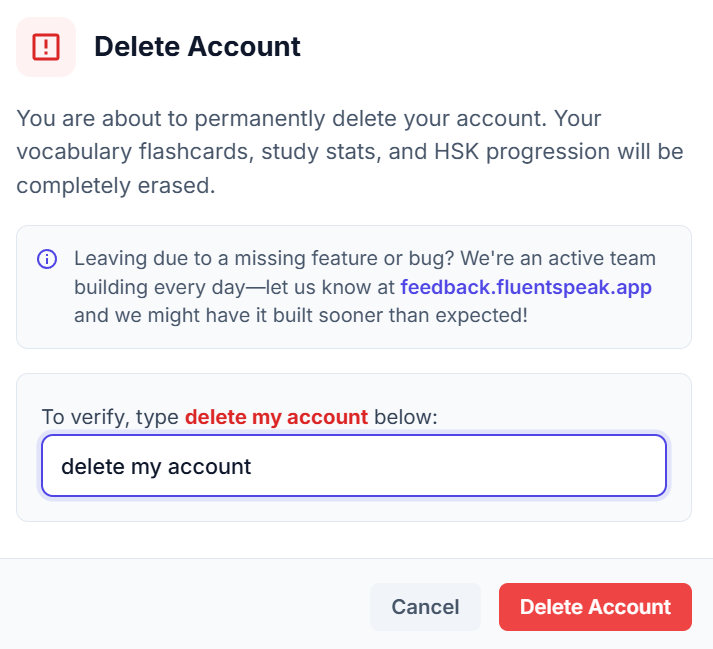
4. Confirm Deletion
Click the red Delete Account button to initiate the permanent erasure of your account.
What Happens After Deletion?
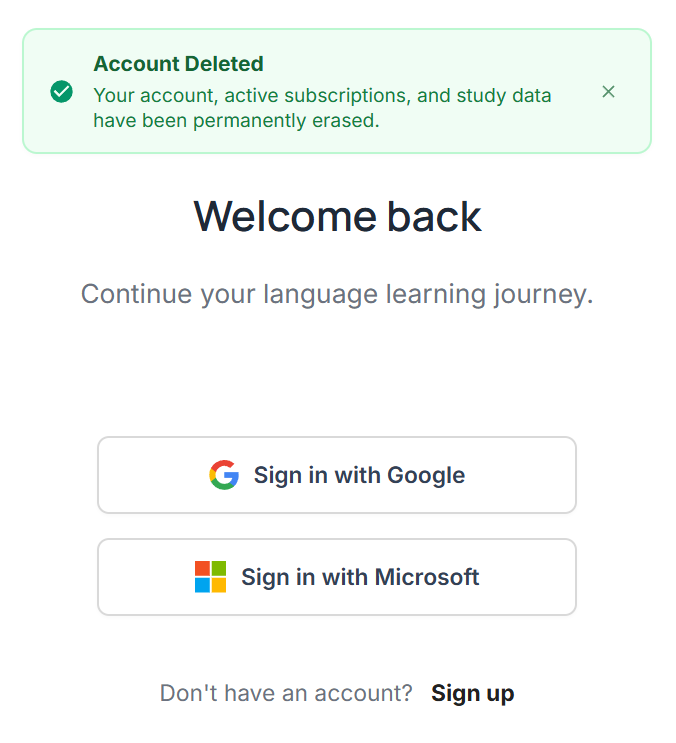
- Automatic Redirect & Confirmation: Once the deletion process completes, you will be immediately signed out and redirected to the login screen with a green confirmation alert confirming your account and study data have been permanently erased.
- If an Error Occurs: If there is a network interruption or temporary connection issue during the process, you will remain on your profile page and a red alert banner will notify you so you can retry.
What Gets Erased vs. Retained
- Learning History & Progress: All flashcard review intervals, saved words in My Words, lesson scores, and reading statistics.
- Profile & Identity: Your display name, avatar, email credentials, and linked tutor connections.
- Subscriptions & Payment Methods: Any active subscription is immediately canceled with zero future charges, and saved payment methods are permanently detached from our payment processor.
- Historical payment transaction receipts and official tax invoices are securely archived solely to comply with mandatory statutory financial and accounting regulations before being permanently destroyed.
Action Cannot Be Undone
Account deletion is immediate and permanent. Once your account is erased, your study streaks, saved vocabulary lists, and review schedules cannot be recovered.