
My Words & Personal Study List
Track your bookmarked vocabulary, monitor real-time recall and accuracy metrics, and launch custom study sessions.
Overview
My Words is your personal vocabulary study queue. Whenever you bookmark a word across HanyuHub—while reading an article, studying a lesson, or looking up terms in the dictionary—it automatically lands in this central list.
You have complete freedom to add, review, or remove words at any time without worrying about messing up your learning stats.
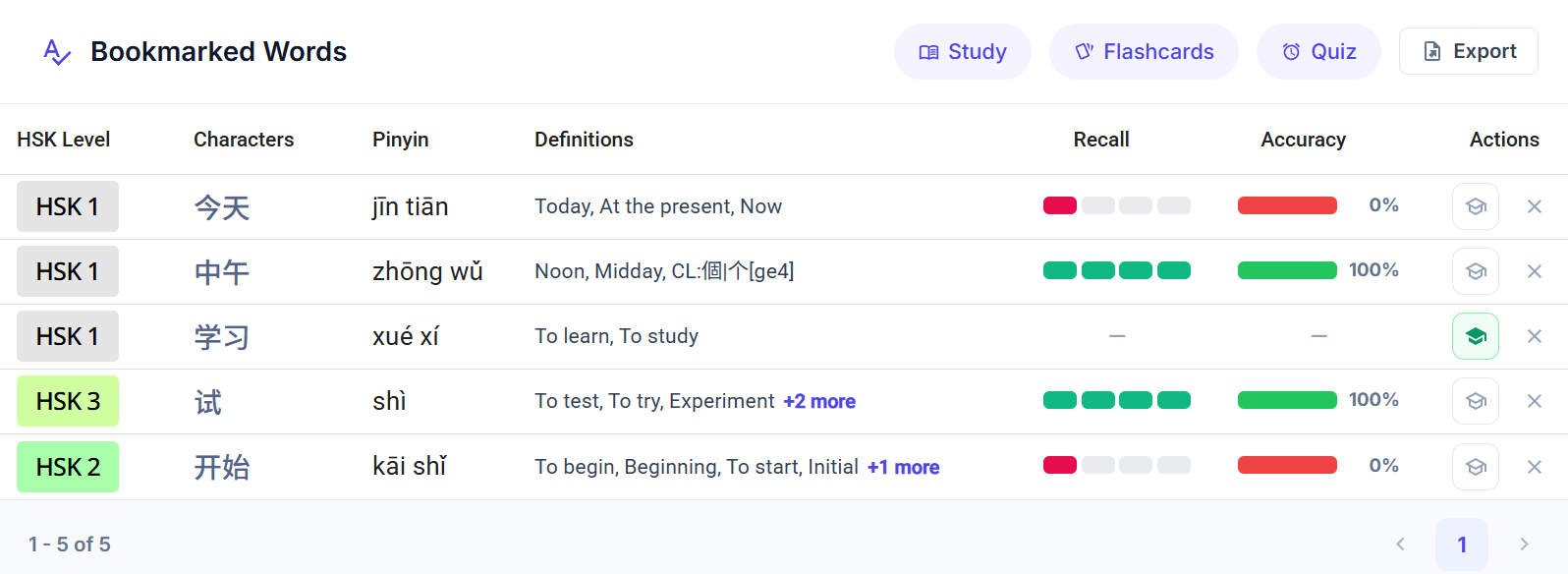
Practice & Export Launchers
Launch Zen Study, Flashcards, or Vocab Tests using only your bookmarked words, or click Export to generate a printable handwriting sheet.
Vocabulary & Definitions
Displays characters, standard Pinyin, HSK difficulty badge, and primary definitions with expandable alternate meanings.
Real-Time Recall & Accuracy
Tracks your live memory strength and historical quiz accuracy, automatically updated whenever you complete reviews or tests.
Quick Actions (Learned / Remove)
Click the graduation cap to mark a word as Learned, or click the clear icon to remove it from your study list.
How to Bookmark Words (Add & Remove)
You can bookmark any word across HanyuHub using the Bookmark Ribbon icon () found inside reading passages, dictionary searcher results, character drawers, and vocabulary tables.

1. Unbookmarked (Default)
Inactive StateClick to save this word directly to your personal My Words study queue.

2. Bookmarked (Saved)
Active StateWord is saved in My Words. Click again at any time to remove it from your queue.
Live Memory & Performance Metrics
Whenever you complete flashcards, reading sessions, or tests, your performance automatically updates the columns in your table:
- Displays segmented visual bars representing your current retrievability score from our spaced repetition engine.
- Full Green Bars: High memory stability—the word is fresh in your mind.
- Red / Depleted Bars: The word is due for review before it slips from memory!
- Tracks the percentage of times you correctly identified or typed this word during vocabulary tests, quizzes, and flashcard evaluations.
Managing Your Words (Actions Column)
- Mark as Learned (): If you already know a word and want to check it off immediately, click the scholar graduation cap icon. The icon turns green, promoting the word to Self-Learned and instantly contributing to your HSK Progression Rings.
- Remove Word (): Mastered a word or no longer want it in your queue? Click the icon to remove it from your list at any time.
Practice & Export Activities
You can launch any of HanyuHub's core study tools directly from the top header using only your saved words:
Zen Word Review
Leisurely, non-graded review with stroke animations, picture cards, and back-and-forth flipping.
FSRS Flashcards
Spaced repetition flashcards prioritized by recall urgency to lock words into long-term memory.
Vocabulary Test
Multi-modal quizzes including Pinyin typing, character picking, and tone challenges.
1-Click PDF Export
Click Export to open the quick worksheet generator pre-filled with your saved words for instant printing!