
Favourites & Bookmarked Content
Save your favorite articles, dialogues, lessons, and word lists for quick access in your personal library.
Overview
With hundreds of passages, dialogues, and vocabulary sets across HanyuHub, the Favourites hub serves as your personal library.
Whenever you come across an article you want to re-read, a dialogue you want to practice with a tutor, or a word list you want to master later, simply mark it as a Favourite for instant one-click access.
How to Favourite Any Content
At the top of every study module (Articles, Dialogues, Sentence Lists, Word Lists, and Lessons), locate the action button in the top-right header:

1. Unfavourited (Default)
Inactive StateClick Favourite in the top header to save this item to your personal library.

2. Favourited (Saved)
Active StateSaved in your Favourites hub. Click Favourited again to remove it from your library.
Browsing Your Favourites Hub
Navigate to Favourites from the main app navigation to view everything you've saved in a clean, two-panel workspace:
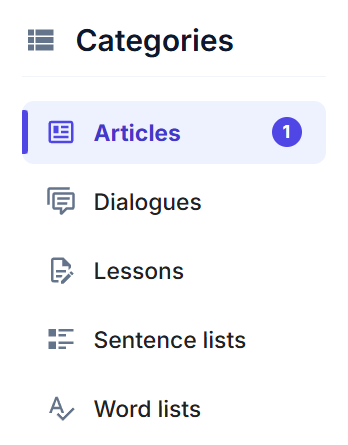
1. Left Panel (Category Selector)
Filter your saved items by content type: Articles, Dialogues, Lessons, Sentence lists, or Word lists. The purple counter badges show exactly how many items you have saved in each category.
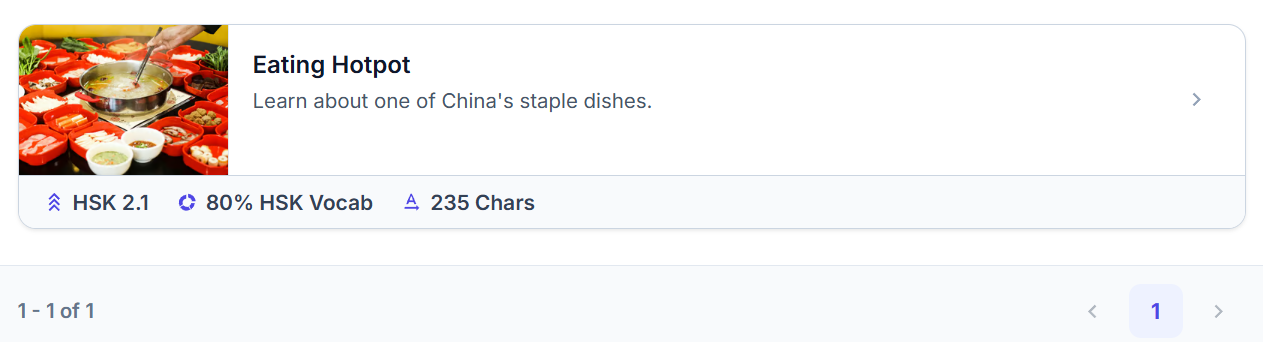
2. Right Panel (Content Cards)
Displays clickable preview cards for all your bookmarked items, complete with cover images, topic descriptions, HSK difficulty scores, and character counts. Click any card to launch straight into practice!
What's the Difference Between 'Like' and 'Favourite'?
- Like (): Gives a community thumbs-up to show appreciation for the content.
- Favourite (): Saves the item directly to your personal Favourites library so you can quickly jump back in.