
Browsing, Searching & Filtering Content
Learn how to find content, filter by topic tags, sort by difficulty, and inspect library preview cards.
Overview
Whenever you explore Articles, Dialogues, Word Lists, Sentence Lists, or Lessons, HanyuHub provides a unified Library Browser to help you quickly find study materials matching your proficiency level.
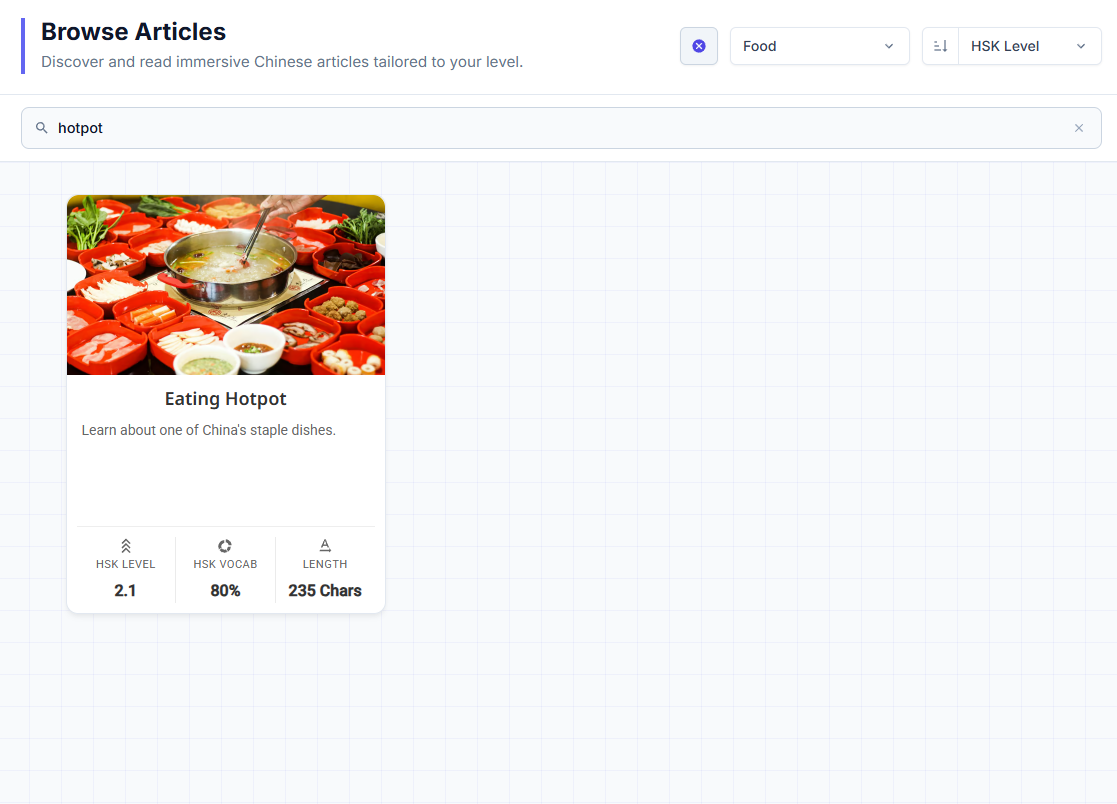
Keyword Text Search
Click the magnifying glass icon to reveal the search bar. Searches titles, descriptions, and passage text in real time.
Topic Tag Filter
Filter content by theme (e.g. Food, Culture, Travel). Topic tags are filtered exclusively using this tag dropdown.
Sort Criteria & Direction
Sort by Last Updated or HSK Level, and toggle between Ascending (easiest first) and Descending order.
Interactive Content Cards
Click anywhere on a card to open and start studying. Review difficulty, vocab coverage, and length stats right on the card.
1. Opening Content & Preview Cards
Every item in the library is displayed as an interactive card containing a preview summary and key difficulty metrics:
- Click / Tap to Open: Simply click anywhere on a card (or tap the row on mobile) to immediately launch into reading, listening, or practice.
- At-a-Glance Stats Footer: Before opening a passage, the card footer displays 3 key indicators:
- HSK Level: Weighted difficulty rating (e.g.,
HSK 1orHSK 2.1). - HSK Vocab %: The percentage of words in the text from official HSK syllabi (e.g.,
80%). - Length Counter: Total character count (
235 Chars), message count (4 Messages), or sentence count (10 Sentences).
- HSK Level: Weighted difficulty rating (e.g.,
2. Browse & Search Controls
- Toggle Search Bar: Click the search icon () in the top bar to reveal or collapse the text search input.
- Search Scope: Searches passage titles, summaries, and full text body in real time as you type.
- Clear Search: Click the clear button () inside the search box to reset your results.
- Click All Tags to open the scrollable list or type into the Search tags... box.
- Selecting a tag (e.g.,
Hotpot,Culture,Food) filters the view to show only content matching that specific topic.
- Sort Criteria: Order content by Last Updated (recency), HSK Level (difficulty), or context stats (like Sentence Count).
- Sort Direction:
- Ascending (): Shows easiest HSK level first or oldest updates first.
- Descending (): Shows hardest HSK level first or newest updates first.
Headers, HSK Badges & Difficulty Metrics
Learn how HanyuHub calculates HSK levels, official vs. estimated (ᴱ) badges, NON-HSK labels, and passage coverage scores.
How to Track Study Sessions (Timer, Finishing & Rating)
Learn how starting, pausing, and finishing study sessions updates your reading speed, character lookups, and word memory progress.