
Reading & Content
Dialogues
Practice conversational Mandarin with multi-speaker dialogues, distinct voices, and line-by-line audio replay.
Overview
Situational Dialogues place you in realistic, everyday Mandarin conversations—such as asking for directions, ordering food, checking into a hotel, or making plans with friends.
For difficulty badges and message counts, see Content Headers & Stats. For Pinyin, translations, and continuous audio streaming, see The Interactive Reading Toolbar.
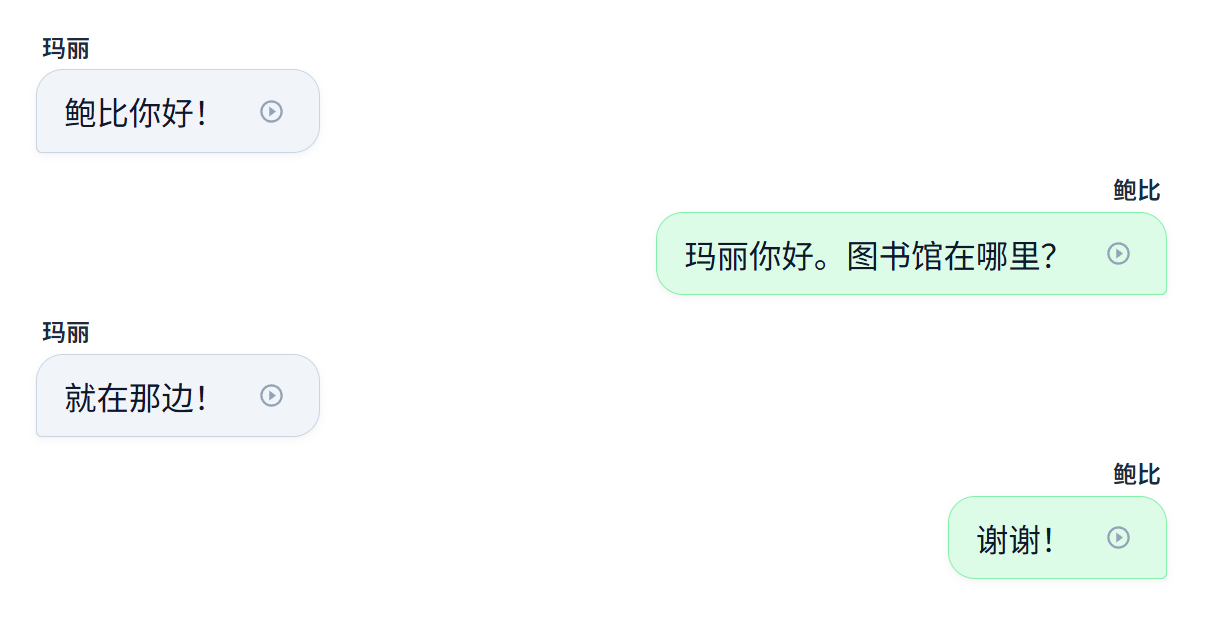
Supported Features
1. Character Interaction
- Desktop: Click on any Chinese character in a message to open the Character Action Panel.
- Mobile: Click on any Chinese character in a message to show the inline tooltip. Tap EXPLORE to expand the full Character Action Panel.
2. Study Tracking
- Tap Begin () to track focused listening and reading time toward your weekly goals. See Study Session Tracking.
- Passive Recall: Any words read without tapping for definitions automatically credit your Word Memory Engine.
3. Audio Playback
- Full Stream: Push the Listen () button on the toolbar to listen to the dialogue message by message with distinct character voices.
- Individual Replay: Click the inline play icon () on any speech bubble to listen to an individual message.
4. Conversational Chat Layout
- Alternating Speakers: The layout automatically alternates bubble sides and background colors for distinct participants (supporting 2, 3, or more speakers).
- Speaker Tags: Clearly displays character names (e.g. 玛丽 or 鲍比) above each message.